C# Employee & Restaurant Billing Programs
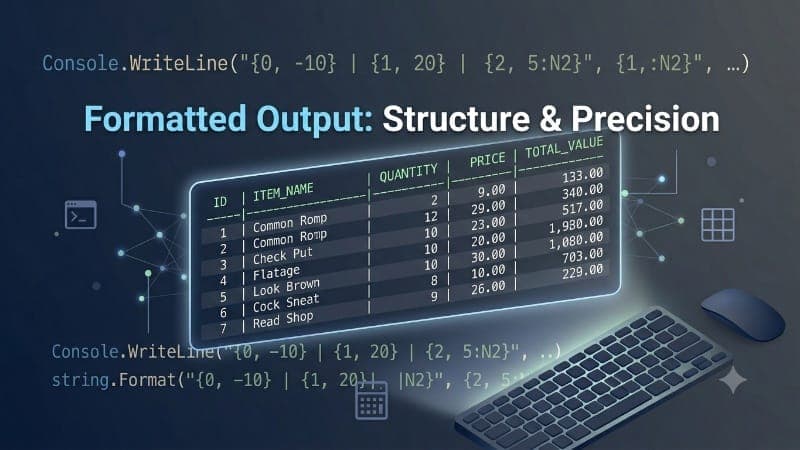
This guide presents two practical C# programming tasks focused on formatted output and user input handling. The first program demonstrates how to create an employee information system that collects and displays professional employee data in a structured format. The second task showcases a complete restaurant billing system that calculates totals, taxes, and gratuity while presenting a professional receipt layout. Both programs utilize C#'s console formatting capabilities, escape sequences, and date/time functions to create clean, organized output. These exercises are perfect for beginners learning data management, string formatting, and creating user-friendly console applications.
Task 1: Employee Information System
This program collects employee information including name, father's name, phone number, designation, date of hiring, and salary, then displays it in a formatted employee data card with proper alignment.
Source Code:
int salary;
string name, fname, phone, dsgn, DOH;

Console.Write("Enter Your Name : ");
name = Console.ReadLine();

Console.Write("Enter Your Father's Name : ");
fname = Console.ReadLine();

Console.Write("Enter Your Phone Number : ");
phone = Console.ReadLine();

Console.Write("Enter Your Designation : ");
dsgn = Console.ReadLine();

Console.Write("Enter Your Date Of Hiring : ");
DOH = Console.ReadLine();

Console.Write("Enter Your Salary : ");
salary = Convert.ToInt32(Console.ReadLine());

Console.Clear();

Console.WriteLine(" __________________________");
Console.WriteLine("| EMPLOYEE DATA             |");
Console.WriteLine("|---------------------------|");
Console.WriteLine("| NAME : {0}                |", name);
Console.WriteLine("| FATHER's NAME : {0}       |", fname);
Console.WriteLine("| PHONE NUMBER : {0}        |", phone);
Console.WriteLine("| DESIGNATION : {0}         |", dsgn);
Console.WriteLine("| DATE OF HIRE : {0}        |", DOH);
Console.WriteLine("| SALARY : {0:0,0}          |", salary);
Console.WriteLine("|___________________________|");
Task 2: Restaurant Billing System
This program creates a professional restaurant payment bill with itemized orders, subtotal calculations, tax, gratuity, and total due in a formatted receipt layout with date and time stamps.
Source Code:
DateTime DT = DateTime.Now;
string firstdish, seconddish;
double table, guest, price1, price2, q1, q2, sub, tax, total, grat;

Console.Write("Enter Table Number : ");
table = Convert.ToInt32(Console.ReadLine());

Console.Write("Number of Guests : ");
guest = Convert.ToInt32(Console.ReadLine());

Console.Write("Enter 1st Dish : ");
firstdish = Console.ReadLine();
Console.Write("Enter price : ");
price1 = Convert.ToSingle(Console.ReadLine());
Console.Write("Enter Quantity : ");
q1 = Convert.ToSingle(Console.ReadLine());

Console.Write("Enter 2nd Dish : ");
seconddish = Console.ReadLine();
Console.Write("Enter price : ");
price2 = Convert.ToSingle(Console.ReadLine());
Console.Write("Enter Quantity : ");
q2 = Convert.ToSingle(Console.ReadLine());

price1 = Convert.ToSingle(q1 * price1);
price2 = Convert.ToSingle(q2 * price2);
sub = Convert.ToSingle(price1 + price2);
tax = Convert.ToSingle(sub * 0.10);
grat = Convert.ToSingle(6.00);
total = Convert.ToSingle(sub + tax + grat);

Console.Clear();

Console.WriteLine("\t\t ______________________________");
Console.WriteLine("\t\t|                              |");
Console.WriteLine("\t\t| BAHRIA UNIVERSITY RESTAURANT |");
Console.WriteLine("\t\t| Bahria University Karachi Campus |");
Console.WriteLine("\t\t|                              |");
Console.WriteLine("\t\t|                              |");
Console.WriteLine("\t\t| {0:dd-MMM-yyyy} {1:HH:mm:ss} |", DT, DT);
Console.WriteLine("\t\t|-------------------------------|");
Console.WriteLine("\t\t| Table:{0} Chk: #{1} Guest: {2} |", table, table, guest);
Console.WriteLine("\t\t|-------------------------------|");
Console.WriteLine("\t\t|                              |");
Console.WriteLine("\t\t|                              |");
Console.WriteLine("\t\t| {0} {1} $ {2:0.00}          |", q1, firstdish, price1);
Console.WriteLine("\t\t| {0} {1} $ {2:0.00}          |", q2, seconddish, price2);
Console.WriteLine("\t\t|                              |");
Console.WriteLine("\t\t|                              |");
Console.WriteLine("\t\t| SUBTOTAL $ {0:0.00}         |", sub);
Console.WriteLine("\t\t| TAX $ {0:0.00}              |", tax);
Console.WriteLine("\t\t| GRATUITY $ {0:0.00}         |", grat);
Console.WriteLine("\t\t| TOTAL DUE $ {0:0.00}        |", total);
Console.WriteLine("\t\t|                              |");
Console.WriteLine("\t\t|                              |");
Console.WriteLine("\t\t|                              |");
Console.WriteLine("\t\t| THANK YOU FOR DINING WITH US |");
Console.WriteLine("\t\t| PLEASE COME AGAIN            |");
Console.WriteLine("\t\t|                              |");
Console.WriteLine("\t\t|______________________________|");
CodingsHub2
Contributor at Jorvea — Free Guest Blogging & Content Publishing Platform
Frequently Asked Questions
How does Console.Clear() work and when should it be used?
Console.Clear() is a C# method that clears the console window and resets the cursor to the top-left position. It's commonly used to create a clean display after collecting user input, making the output appear more professional and organized. In these programs, it's used after gathering all input data to display the formatted output on a fresh screen without the input prompts cluttering the view.
What is the purpose of {0:dd-MMM-yyyy} in DateTime formatting?
The {0:dd-MMM-yyyy} format specifier in C# displays a DateTime object with the day as two digits (dd), the abbreviated month name (MMM), and the full year (yyyy). For example, "25-Jun-2026". This format is commonly used in receipts, invoices, and official documents as it's both readable and internationally understood, making it perfect for the restaurant billing system.
How does the salary formatting {0:0,0} work in C#?
The {0:0,0} format specifier in C# adds thousands separators to numeric values. For instance, a salary of 150000 would be displayed as "150,000". The first "0" represents the digit placeholder, the comma (,) serves as the thousands separator, and the final "0" ensures the last digit is displayed. This formatting makes large numbers more readable and professional-looking in business applications.
Why is Convert.ToSingle() used for prices and Convert.ToInt32() for salary?
Convert.ToSingle() is used for monetary values because it preserves decimal precision necessary for prices and calculations (e.g., $12.50), while Convert.ToInt32() is appropriate for salary when it's a whole number. Using the correct conversion type prevents data loss and ensures accurate calculations. For financial applications, floating-point types like float (Single) or decimal are typically preferred to maintain fractional values.