C# Conditional Statements & Switch Cases
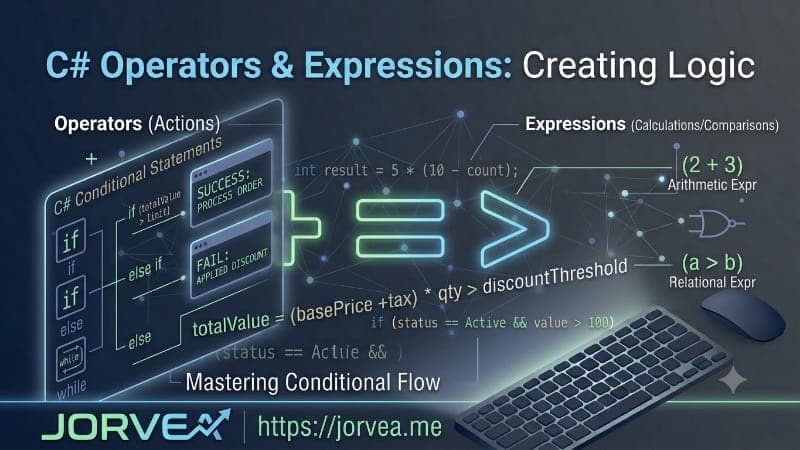
This guide presents four practical C# programming tasks focused on conditional logic and decision-making structures. The first program demonstrates a simple even-odd number checker using if-else statements. The second task creates a fully functional calculator using switch case statements for arithmetic operations. The third program implements a complete guessing game with nested conditions and age validation. The fourth task builds a vowel detector application using if-else conditions. These exercises provide hands-on experience with C#'s conditional statements, logical operators, and control flow structures, making them perfect for beginners learning decision-making in programming.
Task 1: Even or Odd Number Checker
This program checks whether a given number is even or odd using the modulus operator and if-else conditional statements.
Source Code:
int num;

Console.WriteLine("Enter a Number : ");
num = Convert.ToInt32(Console.ReadLine());

if (num % 2 == 0)
{
    Console.WriteLine("It is even number");
}
else
{
    Console.WriteLine("It is odd number");
}
Task 2: Calculator Using Switch Case
This program creates a simple calculator that performs addition, subtraction, multiplication, division, and modulus operations using switch case statements.
Source Code:
double op1, op2;

Console.Write("Enter 1st Operand : ");
op1 = Convert.ToDouble(Console.ReadLine());

Console.Write("Enter 2nd Operand : ");
op2 = Convert.ToDouble(Console.ReadLine());

Console.Write("Enter Operator : ");
string Operator = Console.ReadLine();

switch (Operator)
{
    case "+":
        double addition;
        Console.WriteLine("*****ADDITION*****");
        addition = op1 + op2;
        Console.WriteLine("{0} + {1} = {2}", op1, op2, addition);
        break;

    case "-":
        double subtraction;
        Console.WriteLine("*****SUBTRACTION*****");
        subtraction = op1 - op2;
        Console.WriteLine("{0} - {1} = {2}", op1, op2, subtraction);
        break;

    case "*":
        double multiplication;
        Console.WriteLine("*****MULTIPLICATION*****");
        multiplication = op1 * op2;
        Console.WriteLine("{0} * {1} = {2}", op1, op2, multiplication);
        break;

    case "/":
        double division;
        Console.WriteLine("*****DIVISION*****");
        division = op1 / op2;
        Console.WriteLine("{0} / {1} = {2}", op1, op2, division);
        break;

    case "%":
        double modulus;
        Console.WriteLine("*****MODULUS*****");
        modulus = op1 % op2;
        Console.WriteLine("{0} % {1} = {2}", op1, op2, modulus);
        break;

    default:
        Console.WriteLine("Invalid Operator! Please enter +, -, *, /, or %");
        break;
}
Task 3: Guessing Game with Nested Conditions
This program creates an interactive guessing game where users try to guess a secret number, with nested conditions for age validation and game logic.
Source Code:
string response;

Console.WriteLine("*****GUESSING THE SECRET NUMBER*****");
Console.Write("DO YOU WANT TO PLAY (y/n) : ");
response = Console.ReadLine();

if (response == "y" || response == "Y" || response == "yes" || response == "YES")
{
    int age;
    Console.Write("Enter Your Age : ");
    age = Convert.ToInt32(Console.ReadLine());

    if (age < 6)
    {
        Console.WriteLine("YOU ARE TOO YOUNGER TO PLAY");
    }
    else
    {
        int secretnum = 1786, guessednum;
        Console.Write("Enter Any 4 Digit Number : ");
        guessednum = Convert.ToInt32(Console.ReadLine());

        if (guessednum == secretnum)
        {
            Console.WriteLine("CONGRATULATIONS! YOU ARE SUCCESSFUL");
        }
        else
        {
            string again;
            Console.WriteLine("BETTER LUCK NEXT TIME");
        }
    }
}
else if (response == "n" || response == "N" || response == "no" || response == "NO")
{
    Console.WriteLine("THANK YOU! YOU MAY GO");
}
else
{
    Console.WriteLine("Enter a Valid Input");
}
Task 4: Vowel Detector Using If-Else
This program checks whether an entered alphabet is a vowel or consonant using if-else conditional statements.
Source Code:
string alphabet;

Console.WriteLine("Enter an Alphabet : ");
alphabet = Console.ReadLine();

if (alphabet == "a" || alphabet == "A")
{
    Console.WriteLine("ITS A VOWEL");
}
else if (alphabet == "e" || alphabet == "E")
{
    Console.WriteLine("ITS A VOWEL");
}
else if (alphabet == "i" || alphabet == "I")
{
    Console.WriteLine("ITS A VOWEL");
}
else if (alphabet == "o" || alphabet == "O")
{
    Console.WriteLine("ITS A VOWEL");
}
else if (alphabet == "u" || alphabet == "U")
{
    Console.WriteLine("It is a vowel");
}
else
{
    Console.WriteLine("It is not a vowel");
}
CodingsHub2
Contributor at Jorvea — Free Guest Blogging & Content Publishing Platform
Frequently Asked Questions
Why is string comparison case-sensitive in C# and how can we handle it?
C# string comparison is case-sensitive by default because strings are compared based on their ASCII/Unicode values. In the guessing game, this is handled by explicitly checking both uppercase and lowercase variations (e.g., "y", "Y", "yes", "YES"). Alternatively, developers can use String.ToLower() or String.ToUpper() methods to convert strings to a consistent case before comparison, or use String.Equals() with StringComparison.OrdinalIgnoreCase parameter for case-insensitive comparison.
What are logical operators and how are they used in conditional statements?
Logical operators in C# include AND (&&), OR (||), and NOT (!). They combine multiple boolean expressions to create complex conditions. In the guessing game program, the condition response == "y" || response == "Y" || response == "yes" || response == "YES" uses OR (||) operators to check if the user entered any variation of "yes", making the program more user-friendly by accepting multiple input formats.
How does the modulus operator (%) work in C#?
The modulus operator (%) returns the remainder of a division operation. For example, 10 % 3 equals 1 because 10 divided by 3 is 3 with a remainder of 1. It's commonly used for checking even/odd numbers (num % 2 == 0), cycling through ranges, and performing periodic operations. In the even-odd checker program, it's used to determine if a number is divisible by 2 without any remainder.
What is the difference between if-else and switch case statements in C#?
If-else statements are used for complex conditional logic with multiple conditions and relational operators, while switch case is designed for comparing a single variable against multiple constant values. If-else can handle boolean expressions and ranges, whereas switch case works best with discrete values like integers, characters, or strings. Switch case is generally more readable and efficient when checking a variable against multiple specific values, while if-else provides more flexibility for complex conditions.