How Automation Is Improving Workplace Security
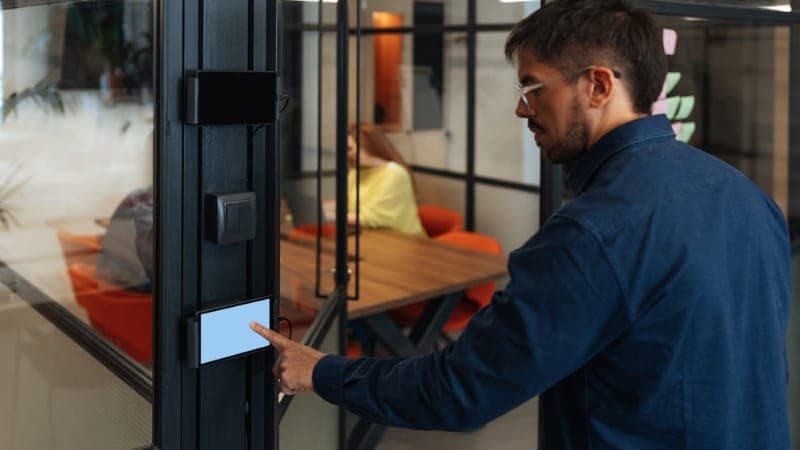
Workplace security policies are rarely the problem. Enforcement is.
Keys get copied without tracking. Access cards are shared between employees. Attendance records get adjusted without oversight. Manual systems fail quietly, not instantly. Workplace security automation closes these gaps with real-time access control and live entry records.
Security weakens when it relies on people instead of systems. A missed check, a shared card, or an unlocked side entrance creates gaps that go unnoticed for weeks. When access control is automated, every entry follows a fixed rule. Only verified identities get through. Every access attempt is logged as it happens. Security stops relying on memory and starts relying on systems.
What Is Workplace Security Automation?
Workplace security automation replaces manual security tasks with dedicated hardware and software. A biometric reader instantly verifies identities at the door. No more guards checking paper IDs. A cloud dashboard records every entry in real time.
These platforms bring doors, cameras, and alarms into a single view. You manage the whole building from a phone or laptop. It monitors your perimeter 24 hours a day without taking breaks. It logs everything. You get the exact proof you need for audits.
To discover how these platforms centralize your operations, learn more.
The Real Problems Automation Solves
Manual security creates liabilities for commercial facilities. It slows down morning entry, messes up records, and leaves doors open for intruders.
Unauthorized Access
Physical keys leave your building exposed because people copy them without your permission. Access cards present the same risk when staff members hand them off to bypass restrictions. A guard at the front gate cannot catch every face at every door across a multi-floor office.
Smart access control systems mitigate this risk by verifying fingerprints or facial features. Only authorized personnel pass through. The door stays locked against everyone else.
Attendance Fraud
Buddy punching causes direct financial losses. One employee sheets in for an absent coworker, and managers miss the pattern during end-of-month reviews. A biometric attendance machine associates each log with an immutable biological marker.
You cannot fake a fingerprint. This removes payroll inflation entirely. Your payroll numbers match actual hours worked.
Slow Incident Response
Finding answers takes days when a security breach occurs in a manually managed building. You cannot tell who entered the server room at 10 P.M. on a Tuesday. Paper logs are incomplete or illegible.
Automated setups fix this by creating a timestamped digital log for every single movement. Audits that used to take a week now take minutes. You see the exact name, time, and door immediately.
How Automated Access Control Actually Works
Modern access control runs on a simple rule engine. Each employee gets a digital profile in a secure database. This profile determines the exact rooms they can enter and the specific hours they are allowed inside.
1. Identity Verification: Under 1 second.
The employee places their finger on the biometric reader or faces the recognition camera at the entrance.
2. Database Matching: Instant processing.
The system cross-checks the biometric data against your local database profiles within milliseconds.
3. Enforced Boundary: Physical action.
The electronic lock releases for authorized staff members while remaining securely locked for everyone else.
4. Audit Logging: Real-time capture.
The software records the entry with an exact timestamp, specific location, and the employee identification number.
5. Live Dashboard Tracking: Management view.
Your human resource managers view this live movement data from any connected device instantly.
Admins control who enters what room and when. Access updates instantly when roles change. A warehouse worker has no reason to enter the finance office. A contractor gets building entry privileges exclusively from 8 A.M. to 6 P.M. on weekdays. The system enforces these boundaries automatically. It cuts out human intervention.
Smart Security Systems: Beyond the Door
Automated hardware protects more than just your main entrance. The devices connect with your regular workplace software to show you exactly what happens during the day.
CCTV With Intelligent Alerts
Smart cameras pick up unusual movements. They alert your team instantly. No one watches hours of empty footage anymore. You respond to real threats immediately.
Visitor Management
The system logs every guest and captures their photograph. It issues a digital pass that expires automatically when their meeting ends. This keeps your lobby clear. Nothing is left to memory.
Integration With HR Software
The system revokes building access the moment HR terminates an employee in your database. This data link closes a massive gap. Former employees with active cards immediately lose their ability to open your doors.
Why Pakistan Businesses Are Moving Fast on This
Workforces across Pakistan are expanding rapidly, and paper logs cannot keep up with the demand. A textile factory in Karachi with 300 workers faces massive morning delays at the gate. A logistics company with hubs in Lahore, Multan, and Islamabad needs centralized control across all sites rather than disconnected regional spreadsheets.
Local enterprises face stricter compliance reviews from international buyers, corporate investors, and insurance providers. These evaluators look for evidence that sensitive areas, such as IT server rooms or accounts departments, are locked. Workplace security automation gives you verifiable digital reports that satisfy these corporate compliance audits instantly.
The Business Case: What Automation Actually Saves
Upgrading your infrastructure reduces monthly operational spending across multiple departments.
- Compliance Costs: One-click exports complete reports for regulatory audits, saving billable hours spent compiling paper trails.
Guard Costs: Software locks and monitors multiple entry points instead of placing guards at every internal door.
Payroll Leakage: A biometric attendance machine tracks exact fingerprints to stop buddy punching and manual alterations.
Incident Costs: Instant alerts and searchable logs pinpoint errors instantly, rather than leaving you guessing about who caused a breach.
Most operations realize a full return on investment within twelve to eighteen months. The savings appear directly in your reduced payroll errors, lower guard expenses, and the total elimination of stolen inventory.
What to Look for in a Workplace Security System
The right choice depends on your staff count, industry, and daily shift structure. Check these basic capabilities before choosing a vendor:
- Biometric sensors that support both fingerprint registration and facial recognition scanning
- Cloud-based administration dashboards accessible from any authenticated web browser
- Role-based access configuration screens with customizable time and zone restrictions
- Direct data connectivity with your existing payroll and human resource management systems
- Instant push notifications for forced entries, tailgating incidents, or repeated access failures
- Exportable file formats for immediate compliance reporting and internal security audits
Your vendor must provide responsive local technical support. A system experiencing a morning glitch without a technician available becomes a bottleneck for your entire workforce.
Getting Started: Implementation Without Disruption
Transitioning to automated security hardware does not require you to shut down your daily business operations. A phased deployment strategy minimizes friction and lets your staff adapt to the new verification protocols gradually.
You install smart access control systems at your highest-risk entry points first. Secure your main server room, the accounts department, and the primary front entrance during the first weekend of installation. Enroll your core management team in the database to test the software's responsiveness before rolling out registration to your wider workforce.
Staff adoption proceeds quickly when you explain that biometric scanning eliminates the hassle of carrying physical access cards. Within thirty days of activation, your administration dashboard will reveal operational patterns that previously went unnoticed. You will identify exact overtime discrepancies, unauthorized weekend entries, and systemic attendance gaps across your departments.
Conclusion
Manual security relies on borrowed trust and paper logs that employees easily manipulate. Every day you delay workplace security automation, you accept unmonitored operational risks across your commercial facility.
Smart access control systems establish total control over your physical spaces, corporate data, and workforce tracking. The necessary biometric readers, smart locks, and cloud software are available today. Stop managing your workplace security with hope and start securing it with definitive data.
FAQs
1. What is workplace security automation?
Workplace security automation uses connected hardware and cloud software to manage facility access, employee attendance, and incident alerts without manual human intervention. This technology mitigates vulnerabilities such as lost physical keys and falsified paper logbooks by using digital credentials and automated time-stamping.
2. How do smart access control systems reduce business risks?
Smart access control systems restrict entry to your commercial building by verifying unique digital or biological credentials against a secure database. This setup allows administrators to set specific role-based permissions, track every room entry in real time, and revoke employee access permissions instantly when staff changes occur.
3. Can a biometric attendance machine eliminate time theft?
Yes, a biometric attendance machine eliminates buddy punching by requiring a unique physical trait, such as a fingerprint or facial scan, to log attendance. This biological verification prevents employees from clocking in for absent colleagues, ensuring your payroll calculations remain completely accurate.
4. Is workplace security automation expensive for local businesses?
The upfront hardware investment scales according to the size of your facility and the number of doors you need to protect. Most commercial enterprises achieve a full return on investment within 12 to 18 months due to the elimination of payroll errors, inventory loss, and administrative paperwork.
5. How long does it take to install these automated security systems?
A standard deployment for a single commercial office takes one to three days. This timeline includes physical hardware installation, software configuration, and database enrollment for your employees. Larger enterprise facilities with multiple geographic locations require 2 to 4 weeks to complete synchronization.
📖 Read more blogs: Jorvea — Free Guest Blogging & Content Publishing Platform
Muhammad Ibtehaj Ansari
Contributor at Jorvea — Free Guest Blogging & Content Publishing Platform
Frequently Asked Questions
What is workplace security automation?
Workplace security automation uses connected hardware and cloud software to manage facility access, employee attendance, and incident alerts without manual human intervention. This technology mitigates vulnerabilities such as lost physical keys and falsified paper logbooks by using digital credentials and automated time-stamping.
How do smart access control systems reduce business risks?
How do smart access control systems reduce business risks? Smart access control systems restrict entry to your commercial building by verifying unique digital or biological credentials against a secure database. This setup allows administrators to set specific role-based permissions, track every room entry in real time, and revoke employee access permissions instantly when staff changes occur.
Can a biometric attendance machine eliminate time theft?
Yes, a biometric attendance machine eliminates buddy punching by requiring a unique physical trait, such as a fingerprint or facial scan, to log attendance. This biological verification prevents employees from clocking in for absent colleagues, ensuring your payroll calculations remain completely accurate.
Is workplace security automation expensive for local businesses?
The upfront hardware investment scales according to the size of your facility and the number of doors you need to protect. Most commercial enterprises achieve a full return on investment within 12 to 18 months due to the elimination of payroll errors, inventory loss, and administrative paperwork.
How long does it take to install these automated security systems?
A standard deployment for a single commercial office takes one to three days. This timeline includes physical hardware installation, software configuration, and database enrollment for your employees. Larger enterprise facilities with multiple geographic locations require 2 to 4 weeks to complete synchronization.
_1780304217372.png&w=1200&q=75)