Your Website's Health - Improve Website Ranking in Google
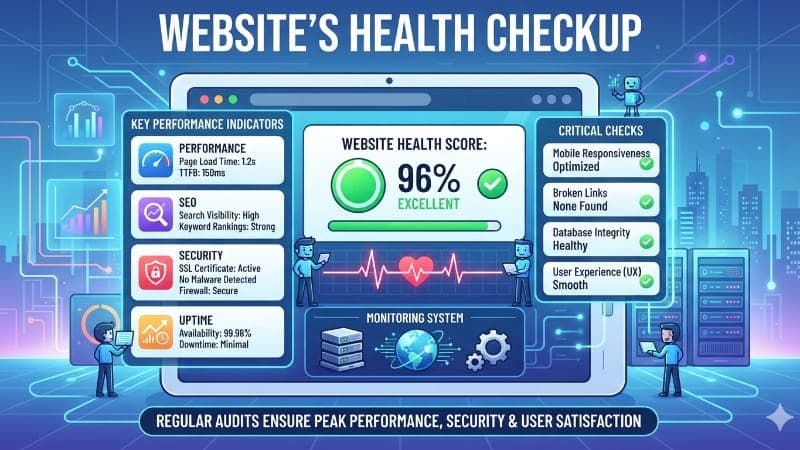
Have you ever wondered why two websites offering similar products or services can perform completely differently in Google Search? One appears on the first page, attracts a steady flow of visitors, and generates business every day, while the other remains almost invisible. The difference often isn't the business itself—it's the health of the website. A website is much more than an online brochure. It represents your brand, supports your marketing efforts, and often serves as the first interaction customers have with your business. While great design and valuable content are important, they alone cannot guarantee higher rankings. Search engines also evaluate how well your website functions behind the scenes. Think about visiting a physical store. Even if the products are excellent, customers may leave if the entrance is blocked, the shelves are disorganized, or the checkout counter takes too long. Websites work in a similar way. Google wants to recommend websites that provide visitors with a smooth, reliable, and helpful experience. Website health is a combination of technical performance, content quality, user experience, security, and overall accessibility. When these elements work together, search engines can understand your website more easily, and visitors are more likely to stay, explore, and convert into customers. In this guide, we'll explore what website health really means, why it matters for Google rankings, the hidden problems that quietly affect your visibility, and practical ways to improve your website for long-term success. Many people assume website health simply means having a fast-loading homepage or fixing a few broken links. In reality, it's much broader than that. Website health refers to the overall condition of your website from both a visitor's perspective and a search engine's perspective. Every page, image, link, script, and piece of content contributes to the overall experience. Imagine owning a car. You regularly clean the exterior because you want it to look good. But you also check the engine, oil, brakes, and tires because these parts determine how safely and efficiently the car performs. Ignoring the engine while polishing the paint won't prevent future breakdowns. Your website follows the same principle. A beautiful design can certainly create a positive first impression, but if visitors encounter slow loading pages, confusing navigation, or technical errors, they'll quickly lose confidence. Search engines notice these problems too. Healthy websites usually perform well in several important areas: They load quickly across desktop and mobile devices. Visitors can easily navigate between pages. Search engines can crawl and index content without difficulty. Content remains useful, accurate, and up to date. Security measures protect both visitors and website data. Internal links help users discover related information naturally. These individual improvements may seem small, but together they create a much stronger website. Consider two online clothing stores. The first store loads within two seconds, organizes products into clear categories, offers easy navigation, and provides detailed descriptions for every item. The second store takes eight seconds to load, contains broken product pages, and forces customers to search endlessly before finding what they need. Both stores may sell identical products, yet most customers—and Google—will naturally prefer the first one. Website health isn't about chasing a single SEO metric. It's about creating a reliable digital experience that benefits everyone who visits your website. One of the biggest challenges with SEO is that many website problems remain invisible until they begin affecting traffic or rankings. Everything may appear normal on the surface, yet several hidden issues could be preventing your website from reaching its full potential. Let's look at some of the most common examples. Website speed directly affects user experience. Imagine clicking on a website after searching for a service. Instead of seeing useful information immediately, you're left staring at a loading screen for several seconds. Most people won't wait. Now imagine this happening to hundreds of potential customers every month. Slow websites often lose visitors before they even read the first sentence. Search engines recognize these behavior patterns and may rank faster websites more favorably because they offer a better experience. Large image files, outdated plugins, excessive scripts, and poor hosting are common causes of slow performance. Broken links are similar to road signs pointing toward roads that no longer exist. A visitor clicks expecting helpful information but instead arrives at an error page. This creates frustration and reduces trust in the website. For example, imagine a visitor researching your services before making a purchase. They click an important page only to receive a "Page Not Found" message. There's a good chance they'll simply leave and continue their search elsewhere. Many businesses publish excellent content but fail to connect related pages together. Imagine reading a helpful article about website speed without finding any links to topics like Core Web Vitals, mobile optimization, or technical SEO. The reader reaches the end of the page and leaves. Internal links guide visitors naturally through your website while also helping search engines understand how different pages relate to one another.Your Website's Health: How to Improve Website Ranking in Google Search
What Is Website Health?
Hidden Website Problems That Hurt Rankings
Slow Loading Pages
Broken Links Create Frustration
Poor Internal Linking
4. Technical Problems You Never Notice
Some of the most serious website issues aren't visible to visitors at all.
Examples include:
Pages accidentally blocked from indexing.
Duplicate versions of the same page.
Missing structured data.
Crawl errors.
Redirect chains.
Broken canonical tags.
Everything may appear perfectly normal while these issues quietly reduce your visibility in search results.
This is one reason many businesses occasionally work with a website audit agency to evaluate both visible and hidden issues across their websites. Rather than focusing only on rankings, a comprehensive review helps uncover technical barriers, content gaps, usability concerns, and opportunities that might otherwise remain unnoticed.
What Google Actually Looks for When Ranking Websites
Many website owners still believe Google's ranking system revolves around keywords alone.
While keywords help search engines understand what a page is about, modern ranking systems evaluate much more than that. Google aims to recommend websites that consistently provide valuable, reliable, and satisfying experiences for users.
Imagine you're hiring a new employee. You wouldn't make a decision based solely on a well-written résumé. You'd also consider experience, communication skills, reliability, and how well the candidate fits the role.
Google evaluates websites in a similar way. It looks at multiple signals working together rather than relying on a single factor.
Can Search Engines Easily Understand Your Website?
Before Google can rank a page, it first needs to discover it.
If important pages are difficult to crawl, buried deep within the website, or disconnected from the rest of your content, they may receive less attention than they deserve.
Think of a large library without section labels or shelf numbers. Even if the library contains excellent books, finding them becomes difficult. A clear website structure makes it easier for both visitors and search engines to navigate your content.
A well-organized website also helps search engines understand the relationship between your pages. For example, if you own a construction company, your service pages, project portfolio, blog articles, and contact page should connect naturally. This creates a logical path for both visitors and search engines.
The easier your website is to explore, the more confidently Google can understand what your business offers.
User Experience Matters More Than Ever
Google pays close attention to how visitors interact with your website. Although search engines don't evaluate your website exactly like a human, they can identify many signals that reflect a positive or negative experience.
For example:
Does the page load quickly?
Is it easy to read on a mobile phone?
Can visitors navigate without confusion?
Are important buttons easy to find?
Does the layout remain stable while loading?
Imagine visiting an online store where every button moves as the page loads. Just as you're about to click "Buy Now," the page shifts and you accidentally open something else.
Most people would become frustrated. A smooth user experience encourages visitors to stay longer, read more pages, and interact with your content—all positive signs that your website is providing value.
Structure Builds Trust
Google also evaluates how well your website is organized.
A clear hierarchy helps search engines understand the importance of different pages.
For example, consider a business that operates a white label car dealer platform. Such websites often contain hundreds or even thousands of vehicle listings, finance pages, location pages, and customer resources. Without a logical site structure, proper internal linking, and well-organized categories, both customers and search engines can struggle to find relevant information. A clean architecture improves discoverability, making it easier for inventory and service pages to appear in relevant search results.
This principle applies to every industry. Whether you run an eCommerce store, a law firm, or a local service business, organized content creates a better experience for everyone.
Rather than treating SEO as a collection of isolated tasks, think of your website as a complete ecosystem where every page contributes to the overall quality of the site.
Website Health in the AI Search Era
Search is changing rapidly.
Not long ago, improving your Google rankings was the primary goal of most SEO strategies. While traditional search remains important, today's users are also finding information through AI-powered search experiences that summarize answers before directing them to websites.
This shift means website health is no longer measured only by rankings. Businesses also need to consider how clearly their content communicates expertise, authority, and trust.
This is why businesses are beginning to adopt AI search monitoring alongside traditional SEO. Instead of only tracking keyword rankings, they also evaluate how their brand, products, and content appear across AI-driven search experiences. It provides a broader understanding of online visibility as search continues to evolve.
The good news is that the same practices that improve website health also improve your chances of being recognized by modern AI systems:
Publish clear, accurate content.
Keep information updated.
Build logical page structures.
Create helpful internal links.
Demonstrate expertise through practical examples.
In many ways, preparing for AI-powered search starts with building a healthier website.
Practical Steps to Improve Website Health
Knowing what affects website health is only half the journey. The next step is making consistent improvements. You don't need to rebuild your website overnight. Small improvements made regularly often produce better long-term results than one large redesign.
Here are some practical areas to focus on.
Improve Page Speed
Start by reviewing large image files, unnecessary plugins, and outdated scripts.
For example, compressing oversized images without reducing quality can significantly improve loading times, especially on mobile devices.
A faster website creates a better first impression and encourages visitors to stay longer.
Fix Broken Links
Check your website regularly for pages that no longer exist or links that point to outdated resources.
Every working link strengthens the user experience, while every broken link creates unnecessary frustration.
Refresh Existing Content
Not every improvement requires writing a new article.
Sometimes updating older content with current examples, recent statistics, and improved explanations delivers better results than publishing something entirely new.
Ask yourself:
Is this information still accurate?
Would I trust this article if I found it today?
If the answer is no, it's time for an update.
Strengthen Internal Linking
Help visitors discover related information naturally.
For example, an article about website speed could also recommend reading about mobile optimization, technical SEO, or content strategy.
This keeps readers engaged while helping search engines understand your website more effectively.
Review Mobile Experience
More people browse websites on mobile devices than ever before.
Check whether:
Text is easy to read.
Buttons are large enough to tap.
Navigation works smoothly.
Images display correctly.
A positive mobile experience benefits both users and search performance.
Monitor Website Performance Regularly
Website health isn't something you check once and forget. New content, software updates, broken links, and changing user behavior can all introduce new issues over time.
Creating a regular review schedule helps identify problems before they begin affecting your rankings
Conclusion
Improving your website's ranking in Google Search isn't about discovering a single secret tactic. It's about building a website that consistently delivers value to both users and search engines.
A healthy website loads quickly, offers helpful content, provides a smooth user experience, and remains technically reliable behind the scenes. While individual improvements may seem small, together they create a stronger foundation for long-term organic growth.
Rather than chasing every new SEO trend, focus on maintaining a website that is organized, trustworthy, and genuinely useful. As search continues to evolve, businesses that invest in long-term website health will be better prepared for both traditional search engines and the next generation of AI-powered discovery
📖 Read more blogs: Jorvea — Free Guest Blogging & Content Publishing Platform
Frequently Asked Questions
What is website health?
Website health refers to the overall quality of a website, including its technical performance, content, security, usability, mobile experience, and how easily search engines can crawl and understand it.
How often should I check my website's health?
A comprehensive review every few months is a good starting point. However, websites that publish content regularly or receive frequent updates may benefit from more frequent monitoring.
Does website speed affect Google rankings?
Yes. While speed is only one of many ranking factors, a faster website generally provides a better user experience, which can contribute to improved search performance.
Can I improve my website's ranking without redesigning it?
Absolutely. Many ranking improvements come from optimizing existing content, fixing technical issues, improving internal linking, and enhancing page performance rather than rebuilding the entire website.
What's the difference between website health and SEO?
SEO focuses on improving visibility in search engines, while website health is the overall condition of the website. Good website health supports effective SEO by creating a strong technical and user-friendly foundation.