M4A to MP3 Converter: Converting Your Audio Files
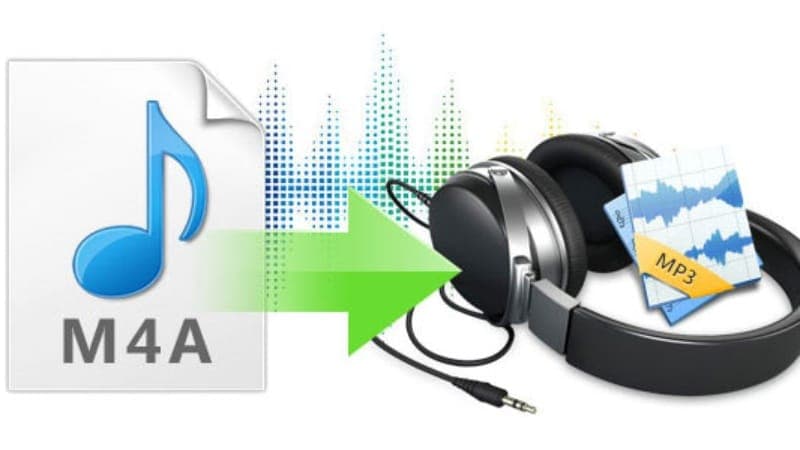
Whether you're listening to music, sharing podcasts, or preparing audio for presentations, compatibility is everything. While M4A files provide excellent sound quality and efficient compression, they are not always supported across every device or application. That's why many users continue searching for a reliableM4A to MP3 converter that delivers fast, secure, and high-quality results.
MP3 remains the most widely recognized audio format in the world. From smartphones and laptops to smart TVs, gaming consoles, and car entertainment systems, nearly every modern device supports MP3 playback. Converting your M4A files to MP3 allows you to enjoy your audio without worrying about compatibility issues, unsupported software, or playback errors.
Why Audio File Formats Matter
When people download or create Some prioritize the highest possible sound quality, while others emphasize smaller file sizes or universal compatibility. Understanding these differences helps you choose the best format for your specific needs.
Whether you're managing a personal music collection or producing professional content, selecting the appropriate audio format improves both accessibility and user experience.
Understanding M4A Files
M4A is an audio-only container format commonly associated with Apple's ecosystem. Most M4A files use Advanced Audio Coding (AAC), a codec developed to provide higher sound quality than MP3 at similar bitrates.
Because AAC uses more advanced compression techniques, M4A files often deliver crisp, detailed audio while maintaining relatively small file sizes.
Advantages of M4A
Excellent audio quality
Efficient compression
Smaller file sizes
Popular within Apple devices
Suitable for streaming services
Ideal for digital music libraries
Despite these benefits, M4A files are not universally supported. Older media players, some automotive systems, and certain editing applications may struggle to recognize the format.
What Makes MP3 So Popular?
More than two decades after its introduction, MP3 continues to dominate the digital audio world.
by nearly every media player
Compatible with most editing software
Ideal for podcasts and presentations
Reliable offline playback
Because virtually every operating system supports MP3, it remains the safest option when sharing audio with others.
M4A vs. MP3: A Detailed Comparison
Although both formats store compressed audio, they differ in several important ways.
For users who value flexibility, MP3 continues to offer the greatest convenience.
Top Reasons to Convert M4A to MP3
Many people assume that because M4A provides excellent quality, there's little reason to convert it. In reality, converting to MP3 solves several everyday problems.
1. Better Device Compatibility
Not every device supports AAC-encoded M4A files. Older MP3 players, in-car entertainment systems, televisions, and some portable speakers often work better with MP3.
Converting eliminates compatibility concerns before they arise.
2. Easier File Sharing
Sharing files becomes much simpler when recipients don't need special software to play them.
Whether you're sending music through email, uploading recordings to cloud storage, or sharing podcasts with clients, MP3 offers maximum accessibility.
3. Improved Software Support
Many applications—including video editors, presentation software, and online publishing platforms—prefer MP3 over less common formats.
Using MP3 minimizes import errors and reduces the need for additional file conversions later.
4. Consistent Playback
Certain browsers and media players occasionally experience playback issues with M4A files.
MP3's universal support helps ensure your audio plays correctly the first time.
5. Greater Flexibility
MP3 files integrate easily with smartphones, tablets, smart watches, gaming consoles, voice assistants, and countless third-party applications.
That flexibility makes them ideal for everyday use.
How an M4A to MP3 Converter Works
Modern conversion tools use sophisticated audio encoding technology while keeping the process remarkably simple.
Typically, the workflow follows these steps:
Upload your M4A audio file.
The converter reads and processes the audio stream.
The audio is re-encoded into MP3 format.
The converted file becomes available for download.
Most online converters complete the process in only a few seconds, depending on the file size and internet connection.
Online vs. Desktop Audio Converters
Users often wonder whether they should use an online converter or install desktop software.
Each option has advantages.
Online Converters
Online tools are designed for convenience.
Benefits include:
No installation required
Accessible from any browser
Works across multiple operating systems
Automatic software updates
Quick conversions
Easy to use for beginners
Desktop Software
Installed applications may be more suitable for users who frequently convert large numbers of files.
Advantages include:
Batch processing
Advanced editing features
Offline access
Greater customization
Support for professional workflows
For occasional users, browser-based converters typically provide the fastest and simplest solution.
Features to Look for in an Audio Converter
Not every converter offers the same level of performance. Choosing the right one can save time while preserving audio quality.
Fast Processing
Nobody wants to wait several minutes for a single audio file to convert.
Efficient processing allows users to convert files quickly without slowing down their workflow.
High-Quality Output
A reliable converter should preserve as much detail as possible during compression.
Higher output quality ensures music, podcasts, and voice recordings remain clear and enjoyable.
Simple User Interface
The best tools require only a few clicks from upload to download.
A clean interface reduces confusion and makes conversion accessible for users of all experience levels.
Strong Security
When uploading personal recordings or professional content, privacy matters.
Look for converters that securely process files and automatically remove uploads after conversion.
Audio Bitrate Explained
One of the most important factors affecting MP3 quality is the bitrate. Bitrate refers to the amount of data used to represent one second of audio. In general, higher bitrates produce clearer sound because more audio information is retained during compression.
Here are the most common bitrate options:
128 kbps
This bitrate is suitable for casual listening and spoken-word recordings. It creates relatively small files, making it ideal when storage space is limited.
192 kbps
A balanced option that offers noticeably better quality while keeping file sizes manageable. Many users consider this the sweet spot for everyday listening.
256 kbps
A great choice for music lovers who want enhanced clarity without creating excessively large files.
320 kbps
The highest standard MP3 bitrate available. It delivers excellent sound quality and is often preferred by musicians, podcasters, and audio professionals.
Choosing the right bitrate depends on how you plan to use your audio. If compatibility is your primary concern, any standard MP3 bitrate will work well. If preserving detail is important, selecting a higher bitrate is usually worthwhile.
Common Mistakes to Avoid During Conversion
Although converting audio is straightforward, a few common mistakes can affect the final result.
Using Low-Quality Source Files
The quality of the converted MP3 depends on the original recording. If the M4A file already contains compression artifacts or background noise, converting it will not improve those issues.
Always begin with the highest-quality source file available.
Repeatedly Converting Between Formats
Every time a lossy audio format is converted into another lossy format, some audio information may be lost.
Instead of converting the same file multiple times, keep an original copy and create new MP3 versions whenever needed.
Choosing an Extremely Low Bitrate
Selecting a very low bitrate can significantly reduce file size, but it may also introduce noticeable quality loss.
For music, a bitrate of at least 192 kbps is generally recommended for a satisfying listening experience.
Ignoring File Names
Before converting multiple files, organize and label them properly.
Clear filenames make it easier to locate songs, lectures, interviews, or recordings after conversion.
Benefits of Batch Conversion
If you have an entire music library or dozens of recordings to convert, batch conversion can save considerable time.
Instead of processing files one by one, batch conversion allows multiple audio files to be converted simultaneously.
Advantages include:
Faster workflow
Consistent output settings
Reduced manual effort
Improved organization
Greater productivity
This feature is especially valuable for podcast creators, educators, musicians, and businesses that regularly manage large audio collections.
Why Online Audio Converters Continue to Grow in Popularity
Online conversion tools have become increasingly popular because they eliminate many of the inconveniences associated with traditional software.
No Downloads Required
Installing software often consumes storage space and requires updates over time.
Browser-based converters remove those concerns entirely.
Works Across Multiple Devices
Whether you're using:
Windows
macOS
Linux
Android
iPhone
Chromebook
Tablet
an online converter provides a consistent experience through any modern web browser.
Faster Access
Instead of installing programs, users can simply upload, convert, and download their files within minutes.
This convenience makes online converters an attractive option for both occasional and frequent users.
Real-World Uses for MP3 Files
MP3 files continue to play an important role across many industries and personal projects.
Music Collections
Many people convert purchased songs or archived recordings into MP3 so they can enjoy them on multiple devices without worrying about compatibility.
Podcast Distribution
Podcast platforms widely support MP3 because it offers an excellent balance between quality and manageable file sizes.
Online Learning
Teachers and students frequently share recorded lectures, tutorials, and language lessons as MP3 files.
Because nearly every device supports the format, learners can listen anytime and anywhere.
Business Communication
Organizations often use MP3 files for:
Employee training
Company presentations
Product demonstrations
Marketing campaigns
Customer support resources
Universal compatibility ensures recipients can access the content without technical difficulties.
Video Production
Video editors commonly import MP3 files into editing software for:
Background music
Voiceovers
Interviews
Narration
Sound effects
The broad support for MP3 simplifies editing workflows and reduces compatibility issues.
Tips for Preserving Audio Quality
Converting files does not have to mean sacrificing quality. Following a few best practices helps maintain excellent results.
Start with High-Resolution Audio
The better the original recording, the better the converted file will sound.
Select an Appropriate Bitrate
Avoid choosing unnecessarily low bitrates simply to reduce file size.
For most music collections, 256 kbps or 320 kbps offers excellent quality.
Store the Original File
Always keep the original M4A version.
If you ever need another format in the future, you can create a fresh conversion without introducing additional quality loss.
Use Trusted Conversion Tools
Reliable converters process audio accurately while protecting uploaded files through secure handling procedures.
Who Benefits Most from M4A to MP3 Conversion?
Audio conversion isn't limited to one type of user. It serves a wide range of personal and professional needs.
Students
Students often convert recorded lectures so they can review lessons on different devices while commuting or studying offline.
Professionals
Business users frequently prepare audio for meetings, presentations, webinars, and training sessions.
Content Creators
YouTubers, social media creators, and podcasters rely on MP3 files because they're easy to edit and widely supported across publishing platforms.
Musicians
Artists can distribute demo tracks, rehearsal recordings, and promotional audio in a format that listeners can easily access.
Everyday Users
Whether you're organizing family recordings, converting audiobooks, or sharing voice notes, MP3 offers unmatched flexibility.
Frequently Asked Questions
Does converting M4A to MP3 reduce audio quality?
Because MP3 uses lossy compression, there may be a slight reduction in quality. However, choosing a high bitrate such as 256 kbps or 320 kbps minimizes any noticeable difference for most listeners.
Can I convert files directly from my phone?
Yes. Most browser-based converters work efficiently on Android smartphones, iPhones, and tablets without requiring additional applications.
Is MP3 still widely used?
Absolutely. Despite the introduction of newer audio formats, MP3 remains the most universally supported format across devices, operating systems, websites, and media players.
How long does conversion usually take?
Most online converters process standard audio files within a few seconds. Larger recordings may require slightly more time depending on file size and internet speed.
Is it safe to convert audio online?
Using a reputable service that securely handles uploads and automatically deletes files after processing helps protect your privacy and personal data.
Final Thoughts
Choosing the right audio format is essential for ensuring your files remain accessible wherever you need them. While M4A delivers impressive sound quality and efficient compression, MP3 continues to stand out for its unmatched compatibility and ease of use. Whether you're sharing music, editing podcasts, preparing presentations, or organizing your digital library, converting your files can eliminate playback issues and simplify your workflow.
A dependable converter should offer fast processing, preserve audio quality, protect your privacy, and work across multiple devices without requiring software installation. By selecting a trusted solution, you can convert audio quickly while maintaining excellent listening quality.
For fast, reliable, and user-friendly audio conversion,Lets Convert provides an efficient solution that helps users convert files effortlessly while maintaining excellent audio quality.
📖 Read more blogs: Jorvea — Free Guest Blogging & Content Publishing Platform
Frequently Asked Questions
Why should I convert M4A to MP3?
Converting M4A to MP3 improves compatibility with a wider range of devices, media players, editing software, and online platforms. MP3 is supported by almost every operating system and audio playback device, making it easier to share and play your files anywhere.
Will converting an M4A file to MP3 affect the audio quality?
MP3 uses lossy compression, so there may be a slight reduction in audio quality. However, converting at a higher bitrate, such as 256 kbps or 320 kbps, helps preserve excellent sound quality that is suitable for most listening purposes.
Can I convert M4A files without installing software?
Yes. Many online M4A to MP3 converters allow you to upload, convert, and download your files directly from your web browser. This makes the process quick, convenient, and accessible from computers, smartphones, and tablets.
Is it safe to use an online M4A to MP3 converter?
Reputable online converters use secure file transfer methods and automatically delete uploaded files after conversion to protect user privacy. Always choose a trusted service with clear privacy practices when converting sensitive audio files.



_1783065907098.png&w=1200&q=75)