How to Change Stitch Artwork Size the Right Way
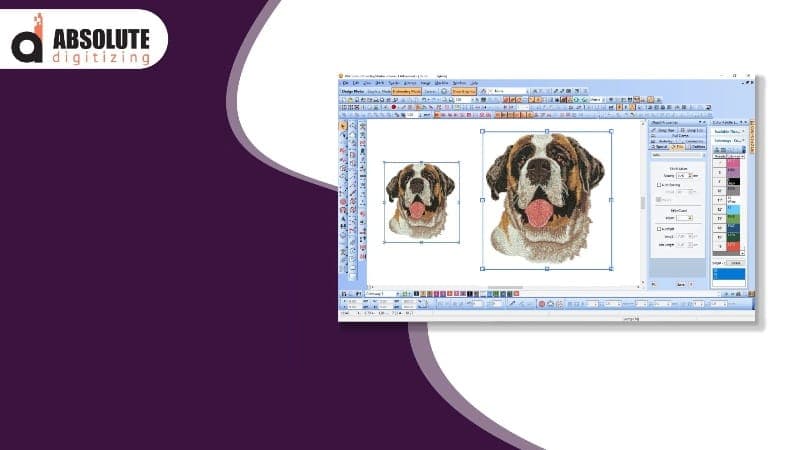
Stitch artwork can look great on shirts, hats, jackets, and bags. But many people face trouble when they change the design size. A design may look clean in one size but messy in another. The stitches may pull the fabric, details may fade, or gaps may appear. That is why it is important to resize stitch artwork the correct way. A good Embroidery Design Resizing Guide can help you avoid poor stitch quality and save time, thread, and fabric. In this article, you will learn simple and safe ways to resize embroidery designs while keeping them neat and sharp. Every embroidery file is made for a special size. The stitch count, stitch angle, and spacing are built around that size. When you change the size too much, the design may not sew well. Small changes are usually safe. But large changes can damage the design. Here are some common issues: Thick stitches Gaps in fill areas Broken thread Wrinkled fabric Poor text quality Uneven shapes These problems can make the final embroidery look bad. Yes, you can resize embroidery files. But you should stay within a safe limit. Most embroidery experts suggest changing the size by only 10% to 20%. This helps keep the stitch quality clean. Small size changes are easier for embroidery software to handle. The stitches stay balanced, and the design shape remains neat. Big changes often need manual editing. You may need to adjust: Stitch density Underlay Stitch direction Pull compensation Sometimes the design must be digitized again. Many beginners think all design files are the same. They are not. These include: JPG PNG SVG These are graphic files. They cannot run directly on embroidery machines. These include: DST PES EXP JEF These files hold stitch data for embroidery machines. You must resize the stitch file, not the image file. Good software helps protect stitch quality during resizing. Simple programs are good for small changes. They can adjust stitch spacing and stitch count automatically. Advanced software gives more control. You can edit: Density Underlay Stitch angles Stitch types This is useful for large or detailed designs. Resizing embroidery designs the right way takes a few simple steps. Always use the original embroidery file. Low-quality copies may already have stitch problems. Look closely at the artwork. Ask yourself: Does it have small text? Does it have thin lines? Is the fill area heavy? Detailed designs are harder to resize. Avoid large size jumps. Change the size little by little and check the result. Density means how close the stitches sit together. If stitches become too close, the design gets thick. If they become too far apart, gaps may appear. Always run a sample stitch before final production. Testing helps you find: Thread breaks Fabric pulling Shape problems Poor stitch coverage This step can save a lot of time and money. Fabric plays a big role in embroidery quality. Denim, jackets, and hoodies can hold heavy stitches better. T-shirts and soft cotton fabrics need lighter stitch density. Stretch fabrics move during stitching. They need strong stabilizers and careful settings. Small lettering is one of the hardest parts of embroidery resizing. Simple block fonts stitch better than fancy fonts. Very small text may close up and become hard to read. If the text becomes unclear, it may need manual editing. Making a design larger may create gaps between stitches. The stitches can spread apart too much. Wide satin stitches may snag or loop. In some cases, they must be split into smaller sections. Shrinking often causes more problems than enlarging. Too many stitches in a small area can cause: Thread breaks Needle breaks Thick embroidery Small shapes and fine lines may blend together. Underlay is the stitching placed under the top layer. It helps support the fabric and top stitches. Good underlay helps: Reduce wrinkles Improve stitch coverage Hold fabric in place Large resized designs may need new underlay settings. Here are some easy tips for clean embroidery results. The right stabilizer keeps fabric steady during stitching. Old needles can damage thread and fabric. Strong thread breaks less and looks smoother. Slower speeds often improve stitch quality on resized designs. Many embroidery problems come from simple mistakes. Huge size changes can ruin the design. Testing helps find issues before final stitching. Different fabrics react in different ways. Cheap software may not adjust stitches correctly. Sometimes resizing alone is not enough. Watch for these issues: Thick stitch buildup Missing details Uneven fills Poor edges Frequent thread breaks If these problems continue, the design may need to be digitized again. Professional digitizers do more than click the resize button. Experts check: Stitch types Fabric type Design detail Final size They fix density, underlay, and stitch paths manually. Most professionals run sample stitches before full production. This helps avoid costly mistakes. Changing stitch artwork size the right way takes care and practice. Small size changes are usually safe, but large changes often need manual editing. Good software, fabric choice, and proper testing all help improve embroidery quality. Many beginners think resizing is simple. But resizing also changes stitch density, design detail, and fabric movement. That is why careful resizing is so important. If you take your time, test your work, and learn basic embroidery editing, you can create clean and professional embroidery designs with fewer mistakes.Why Design Size Matters
Common Problems After Resizing
Can You Resize Embroidery Designs?
Small Changes Work Best
Large Changes Need Extra Work
Know the Difference Between File Types
Image Files
Stitch Files
Best Software for Resizing
Basic Embroidery Software
Advanced Digitizing Software
Steps to Resize Stitch Artwork
Step 1: Open the Original File
Step 2: Check the Design Details
Step 3: Resize Slowly
Step 4: Check Stitch Density
Step 5: Test the Design
How Fabric Affects Resizing
Thick Fabrics
Thin Fabrics
Stretch Fabrics
Tips for Small Text
Use Simple Fonts
Avoid Tiny Sizes
Problems When Enlarging Designs
Fill Areas May Look Thin
Satin Stitches May Become Loose
Problems When Shrinking Designs
Stitches Become Too Dense
Details May Disappear
Importance of Underlay
Why Underlay Matters
Best Practices for Better Results
Use Good Stabilizer
Change Needles Often
Use Quality Thread
Slow Down Machine Speed
Common Mistakes Beginners Make
Resizing Too Much
Skipping Test Runs
Ignoring Fabric Type
Using Poor Software
When to Redigitize a Design
Signs a Design Needs Redigitizing
How Professionals Resize Designs
They Study the Design
They Edit by Hand
They Always Test
Final Thoughts
Henry Philip
Contributor at Jorvea — Free Guest Blogging & Content Publishing Platform
Frequently Asked Questions
What is How to Change Stitch Artwork Size the Right Way?
Stitch artwork can look great on shirts, hats, jackets, and bags. But many people face trouble when they change the design size. A design may look clean in one size but messy in another. The stitches ...
Why is How to Change Stitch Artwork Size the Right Way important?
This article explains the key aspects of How to Change Stitch Artwork Size the Right Way in detail, covering essential information and practical insights.
How can I learn more about fashion?
Read the full article on Jorvea for comprehensive information about How to Change Stitch Artwork Size the Right Way and related topics.
_1778055982797.png&w=1200&q=75)